Ever-increasing speed
The topic of loading speed is not a new one: even in the early days of the web, loading time was a critical factor for a website’s success. Internet bandwidth was so low—remember, 56k modems were often the absolute best one could hope for in the late 1990s; today, connections with 100 Mbps and more are common—that even a few hundred kilobytes was the upper limit for a page to achieve a decent loading time.
With increasing bandwidth, the situation for desktop computers has eased somewhat, at least in theory. However, the growing use of mobile devices and increasingly larger screens with high resolutions (back in the late 1990s, for example, 19″ with 1,200 x 800 pixels; today, for example, 27″ with 2,560 x 1,440 pixels) puts website operators in a similar position as back then. It’s a bit like the smartphone battery problem: batteries are becoming more powerful, but devices are consuming more and more power.
Loading speed as a ranking factor
Factors influencing loading time
Hosting level: Infrastructure, web server, caching
- Infrastructure: Generally, it matters whether the website is operated on a shared hosting server or a dedicated server. Speed begins with the data center’s internet connection and how the provider’s routers connect the various servers. This results not only in speed but also in the so-called Time to First Byte, a metric for the time it takes for the first byte to travel from the server to the client.
- Web Server: The web server also plays a role in optimization. Generally speaking, web servers using Nginx are faster than Apache—though this isn’t necessarily the case; with some configuration work, Apache can fly too. But it’s not just changing the software that brings speed. Settings like Keep-Alive also ensure that the connection to the web server doesn’t have to be renegotiated after every request.
- Caching is a complex topic because caching exists on many levels (CDN, HTTP reverse proxy like Varnish Cache, local cache, database cache like memcached or Redis, etc.). Caching is one of the most effective options for shortening loading times, depending on how it is used. It should be noted that not everything can always be cached—sites with a high frequency of changes, such as news portals, want visitors to always see the latest articles.
Website level: HTML/JS/CSS, media elements
- Correct page structure plays a major role—and we’re not even talking about broken HTML. The HTML structure of a document should always be as lean as necessary, and bizarre nesting should be avoided whenever possible. Accordingly, unless absolutely necessary, elements should not be inserted via JavaScript after the fact.
- Media elements, i.e., images, should always be optimized for the end device—a large image for desktop should be loaded in a correspondingly smaller version on a smartphone.
Online speed check with www.webpagetest.org
How it works
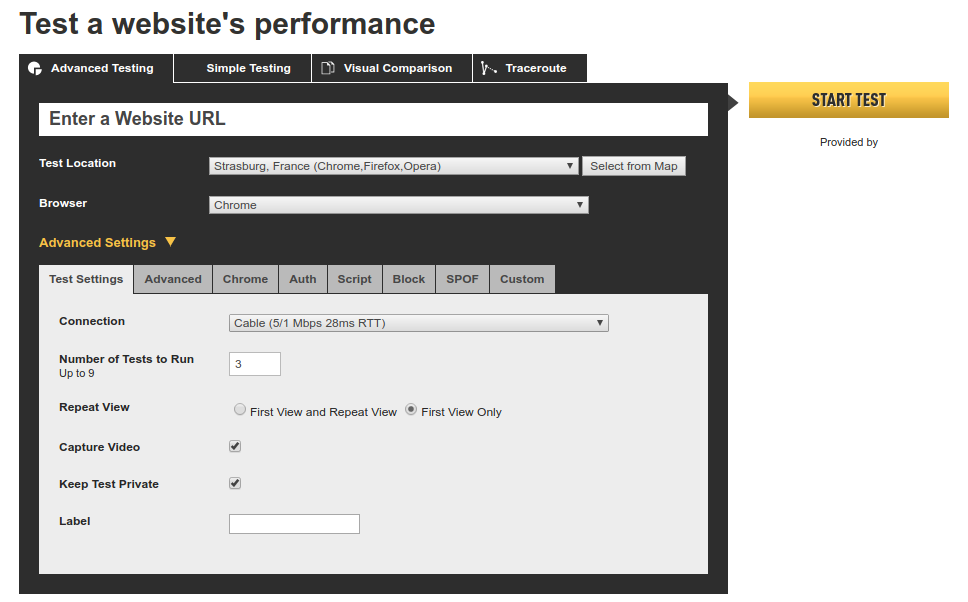
To start an analysis of the website, you only need:
- URL: Enter the website URL, preferably including https and www; otherwise, any existing redirect might be included in the loading time.
- Location: Where should the measurement be taken from? Geographic location actually plays a role—it’s best to choose a location close to your visitors (for a German website, for example, a location in Germany or Europe).
- Browser: The browser being tested can certainly make a difference. By the way, depending on the provider and location, mobile browsers can also be selected.
- Number of tests: It is recommended to run multiple tests to obtain a more meaningful average.
- Repeat View: This refers to the loading time when a client (browser) loads a page repeatedly, which should make caching effects more noticeable—it is recommended to select first view and repeat view.
Results Overview
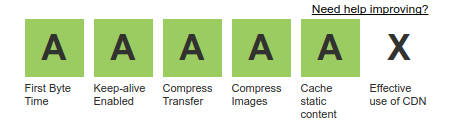
- First Byte Time: The time taken to receive the first byte from the web server. This value can be influenced primarily at the hosting level, e.g., through caching. The value depends on the physical hosting environment (data center, server) and the current system load.
- Keep-alive enabled: A web server option that keeps the connection between the server and browser open, thus avoiding the need to renegotiate the TCP handshake every time. A website often has 100 or more elements to load—so a seemingly small optimization can make a difference. With HTTP/2 and HTTP/3, many files are now loaded in parallel over a single connection anyway.
- Compress transfer: Also a web server setting. The web server can transmit data in a compressed format so that less data needs to be transferred. Modern browsers are now all capable of handling compressed data transmission.
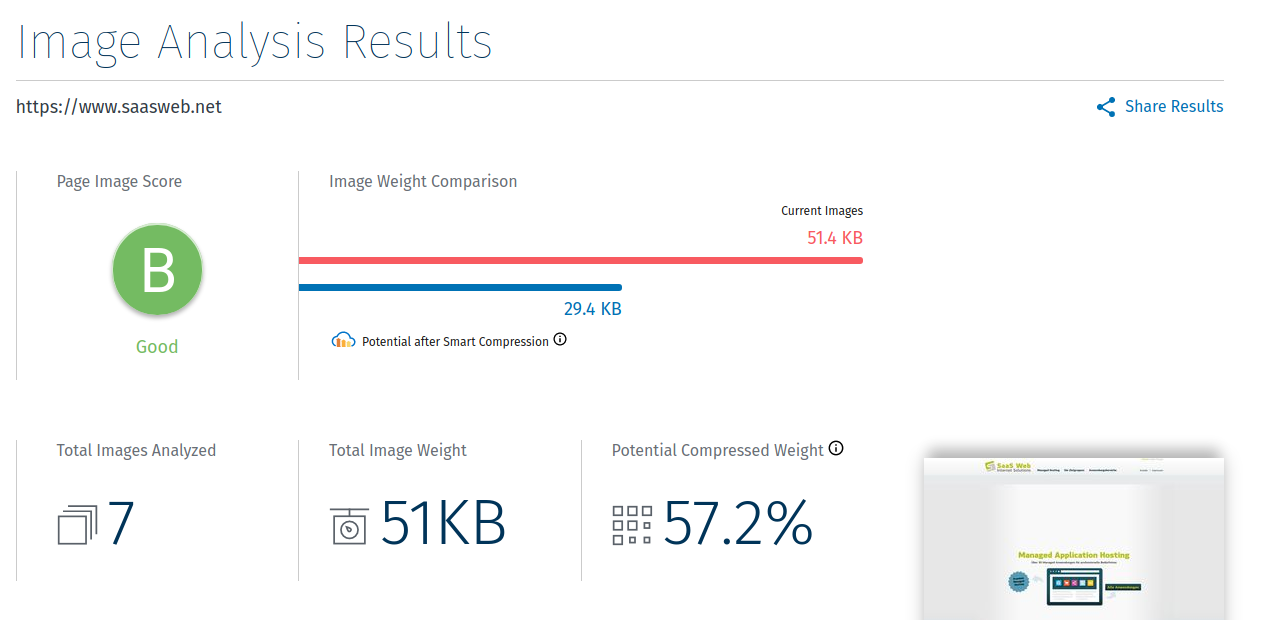
- Compress images: This is where website operators come in. The indicator shows how well the images being loaded are compressed. Can the size be reduced (without loss of quality)?
- Cache static content: Are the displayed elements coming from the cache, or were they served fresh from the web server?
- Effective use of CDN: Is the content being served from a CDN (Content Delivery Network)?
Performance Results

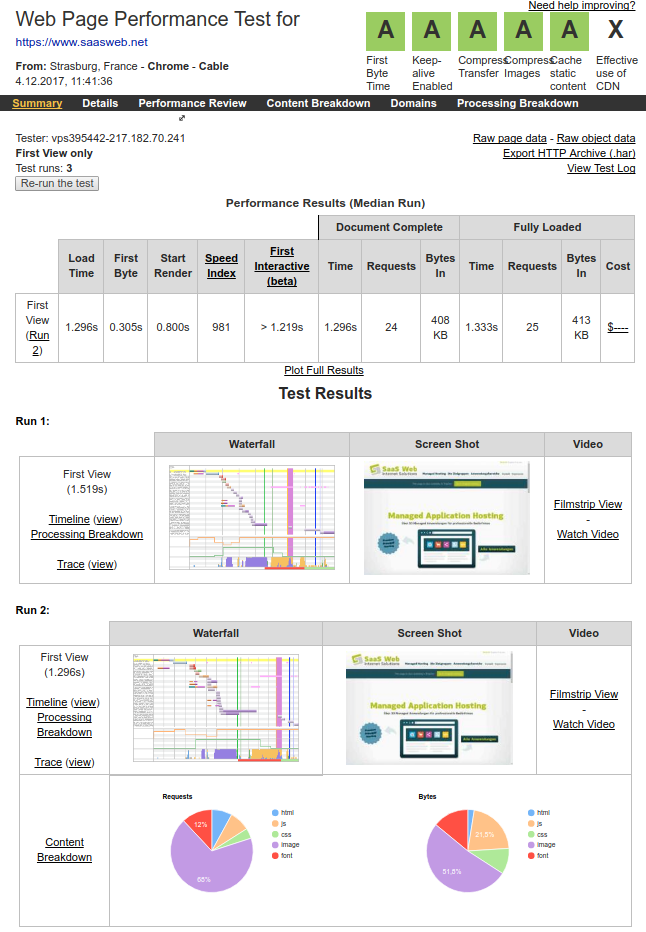
- Load Time: This time corresponds to the loading time of the website. The Fully Loaded time, on the other hand, measures all activity up to 2 seconds after the Load Time, such as elements loaded later via JavaScript.
- First Byte (TTFB): The time required for the first byte to travel from the server to the browser when the website is first accessed.
- Start Render: The time the browser needs to start displaying the website.
- Speed Index: The Speed Index is a value used to evaluate the measured speed. The lower this value, the better. Detailed information on how this index is calculated can be found here: https://developer.chrome.com/docs/lighthouse/performance/speed-index
- Core Web Vitals: As of 2026, WebPageTest additionally displays First Contentful Paint, Largest Contentful Paint (LCP), Cumulative Layout Shift (CLS), and Total Blocking Time (TBT), among others. For websites with sufficient traffic, real user data from the Chrome UX Report is also included.
Details – Waterfall Chart
Content Breakdown
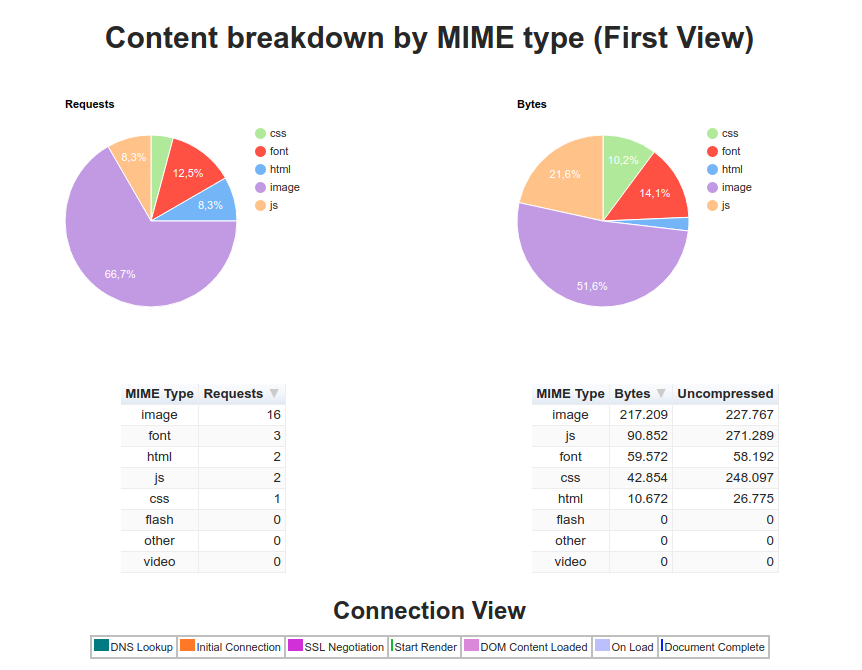
Image Analysis
A professional tool for zero dollars
Webpagetest.org is a mature project that can really help drive website optimization forward. It’s particularly nice that the tool can still be used for free. As of 2026, WebPageTest belongs to Catchpoint (part of LogicMonitor since late 2025): individual tests can be done without registration; for regular tests, you need a free account with a monthly test quota; API access and advanced features are only available in paid plans. Occasionally, you have to wait a bit for the analysis request to be processed—after all, you’re not the only person using this service. A fast, also free supplement with real user data from Google is PageSpeed Insights.
Is your website getting old? We plan and implement your relaunch—fast, clean, and easy to find. More on Website Relaunch