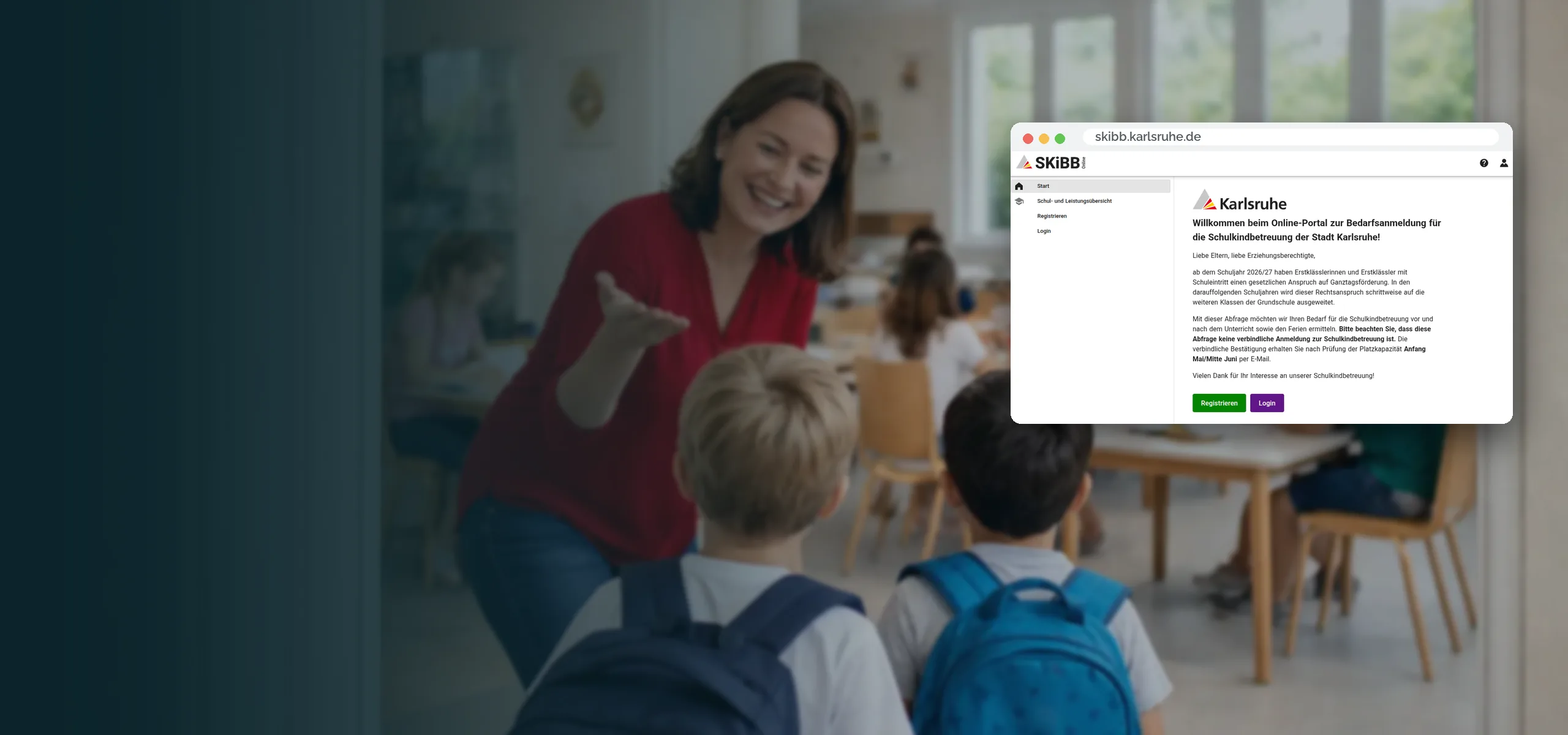
Schoolchild Care for Municipalities
Management of After-School Care for Elementary School Children
Municipalities digitize the entire organization of schoolchild care – from registration and spot allocation to communication between parents, schools, and providers. The result: seamless processes, clear responsibilities, and significantly less effort. This leaves more time for quality care.
since 2021
in use in Karlsruhe
42 schools
with after-school care, lunch, and school holiday care programs
Rapid Launch
3,200 children registered in the first week, with over 12,000 services booked
Goals and Benefits
All Stakeholders on One Interface
Parents register children quickly and via mobile, administration and providers maintain an overview, and schools receive exactly the information they need.
- Digital Registration for Parents: simple, fast, mobile – including document upload
- Unified Portal for administration, providers, and schools with the same data basis
- Transparent Communication with clear status indicators and automatic notifications
- Roles and Permissions that accurately reflect responsibilities
- Exports for planning, billing, and reporting – at the touch of a button in the correct format

Portfolio
City of Karlsruhe: SKiBB, the Portal
In March 2026, SKiBB, the schoolchild care portal for Karlsruhe, went live. It manages lunch, after-school, and holiday care for 42 schools. Reservations are processed by the Karlsruhe School and Sports Office, the City Youth Committee, the Karlsruhe City Church, and several local administrations (including Durlach, Hohenwettersbach). At launch, over 12,000 services were booked for over 3,200 children.
Features
Features at a Glance
Everything you need for reliable and scalable schoolchild care is already on board.
- Parent Portal: Registration, online application, documents, and SEPA mandate – digital and traceable
- Groups and Models: Time models, group sizes, care ratios, and holiday rules configurable
- Spot Allocation: Waiting lists with allocation logic based on municipal criteria
- Communication: Messages to parents by group or facility, with templates
- Roles and Permissions: everyone works with the appropriate scope of access
- Reporting and Exports: CSV/XLS/PDF with filters, totals, and time series
Process
From Application to Care
Processes are clearly guided and transparent for all parties. This reduces inquiries and accelerates decisions.
- Submit Application Parents enter master data, select model and group, upload documents
- Review and Spot Allocation Review documents, allocate spots based on rules, inform automatically
- Organization Group lists, attendance, substitutions, and documents centrally – adaptable at short notice
- Communication Information per group or location, serial emails with logged delivery
- Evaluation Overviews and exports for statistics, cost centers, and controlling
Roles and Access
Each Role Sees What It Needs
No more, no less – keeping the system clear and secure.
Administration
Overall control, spot allocation, reporting.
Providers and Management
Own facilities, groups, staff.
Caregivers
Attendance and daily information.
Schools
Relevant class and group information at a glance.
Parents
Applications, documents, status, and messages in one place.
IT and Support
User management and technical support.
Technology and Operations
Technology, Data Protection, and Operations
Modern web technology, high security standards, and reliable operations – designed for the public sector.
- Web Application responsive for desktop, tablet, and smartphone
- Role-Based Authorization System with logging of important actions
- DSGVO-compliant, hosting in European data centers
- Encrypted Transmission (TLS), regular updates and backups
- Exports and Interfaces: CSV/XLS/PDF as well as optional integrations into third-party systems
Implementation and Support
From the Initial Idea to Regular Operation
Structured, pragmatic, with short communication channels.
- Kick-off Define goals, roles, criteria, and templates
- Configuration Set up models, groups, facilities, and forms
- Training Prepare administration, providers, and caregivers
- Pilot Phase Test operation, feedback, and fine-tuning
- Roll-out Go-live, monitoring, and ongoing support
Demo
Request a Non-Binding Demo
We would be happy to show you the solution live in a short online demo and discuss requirements, the role model, and export needs. In just a few minutes, you’ll see how your processes can run more simply, transparently, and quickly.