After several months of development, Steve has now gone into production. Steve stands for perfection: a tribute to Steve Jobs and a commendation to core developer and SaaS Web CEO Daniel Jagszent. But Steve also stands for equality between women and men: after “intelligent bots” were named after women (Siri, Alexa, Cortana), we decided to name our tool after a man!
With Steve, We Are Replacing InfiniteWP
InfiniteWP (IWP) is a popular PHP/MySQL web application for managing numerous WordPress websites – free in its basic version, but for professional use, the paid add-ons are indispensable. IWP offers numerous features through its extensions, with new ones constantly being added.
Despite the extensive functionality, we were never entirely satisfied with the application:
- Firstly, features important for managing business sites (e.g., SLA for update management or auto-backups during updates) were not available.
- Secondly, we were also not satisfied with the quality of the software (many bugs, incompletely thought-out features).
Professional WordPress Management with Steve
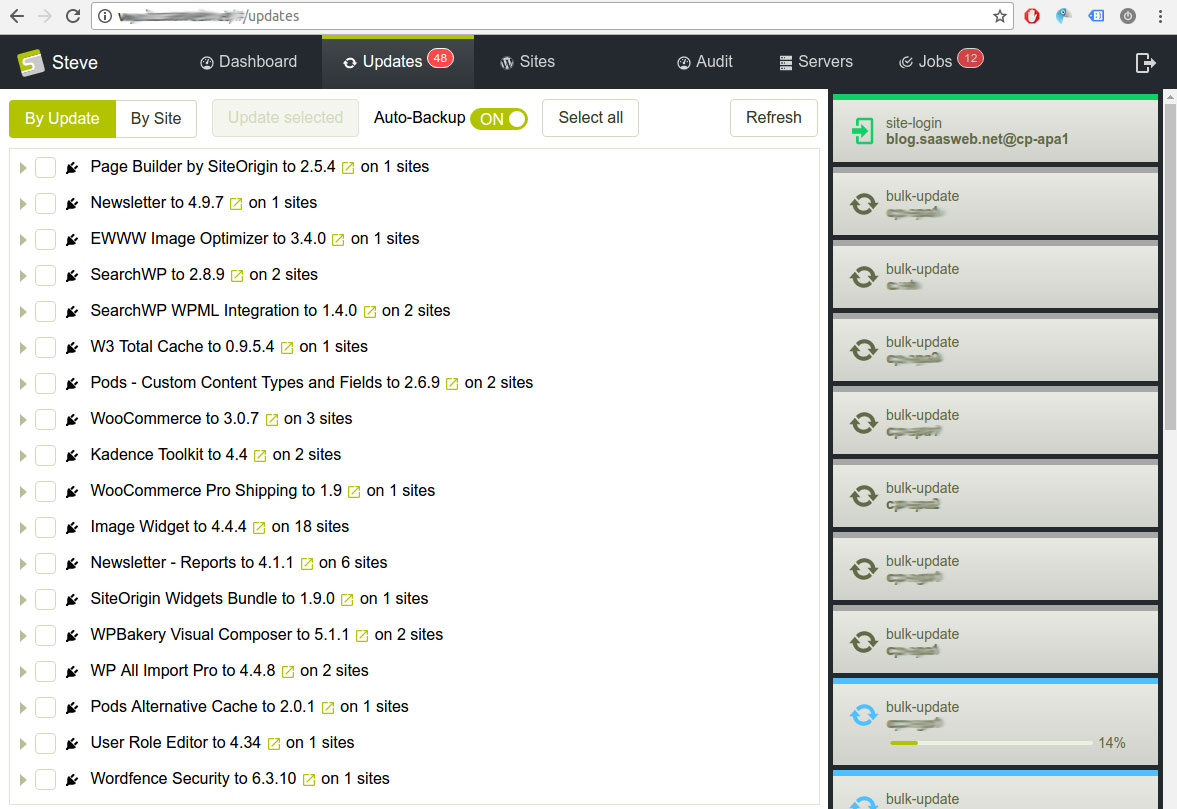
With the new (Ruby on Rails) application, the management of WordPress sites is tailored to our needs. An excerpt of the features:
- Auto-discovery of WordPress instances on servers
- Automatic “SaaS Web” MU-Plugin installation for communication with Steve
- Automatic backups during updates (can be enabled/disabled)
- Daily or nightly backups of all WordPress instances; file backups are incremental.
- One-click backup restore
- Individual SLA integration: e.g., updates for VIP sites only possible outside business hours – except for security updates
- Audit function: Logging of all WordPress actions
- Support for WordPress Multisite
A Focus on Usability
Steve is not just a diligent model student. Steve is also ergonomic software designed to make daily work with WordPress comfortable and efficient.
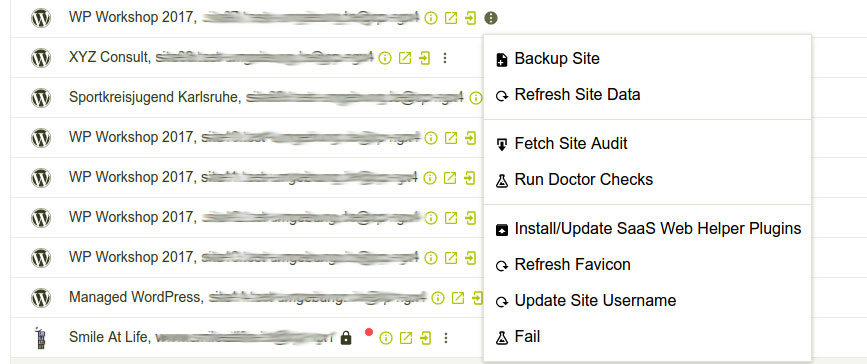
This includes, for example:
- Simple menu navigation without complicated nesting
- Search field for websites with autocompletion
- Action quick links in website list entries
- Communication between browser and server via WebSocket for direct feedback without reloading the website
A Tool for the Future, Too
Already planned, but not yet available, is the automatic capture of selected pages (as images) before and after an update. This allows manual (unintended) changes to be identified more quickly and, if not immediately recognized, to be classified chronologically. Accordingly, the correct backup can be restored faster.
Automatic staging is also in the works – currently a manual process – and many other features…